Do we still need to be in the loop?
This is a post written by a human for humans, about how much agency we choose to give up in our software engineering workflows (and why I decided to build AgentKanban).
Do we still need to be in the loop?
Yes, this is a bit of a click-baity title, and I hope that you agree that we do, but it's a question that seems to need revisiting every time we see a step change in LLM and agent harness capabilities. If not still a resounding yes (at least from experienced engineers), the answer is likely to be at least an 'it depends', or 'sometimes' for some time to come.
I firmly believe that we produce better software when we are in the loop, and here I'm going to outline why, and what I think is the best workflow and tooling configuration for working WITH agents in software development (spoiler it's VS Code, GitHub Copilot and a collection of tools I've called AgentKanban. I'll make the case for why, and invite you to disagree):
The current state of agentic software development
Many software professionals are finding that LLMs and agent harnesses have improved to a point where they now have significant enough capability across enough areas of the software development lifecycle that they can no longer be ignored. We're at a point where with a clear initial prompt and a little steering, frontier models produce clean, correct and testable code and configuration across practically every programming language and framework.
Many of us are finding that our focus is moving from pure coding tasks to work that would more likely be categorised as solution architecture, DevOps or testing.
One of the most common current debates seems to be the extent to which we can let go of the wheel. Some companies with skin in the game and some influential voices are claiming that we don't need to look at the code any more (i.e. 'Vibe Coding'), and that it is behaviour that matters now. Others would tell us that we should still be reading every line the LLM writes, understanding the choices made and the technologies used, and that we should be following time-tested disciplined workflows that include distinct planning and implementation stages (sometimes termed 'Agentic Engineering').
The better the models get, and the fewer mistakes we find, the more tempting it is to just prompt and trust the output of the agents. However, I believe that more experienced engineers know that they can get better results when they follow clearly defined workflows.
Ultimately we have to be accountable for what we produce, and we have to understand what we've built. We need to be aware of design decisions, trade-offs, potential future bottlenecks. Building faster than our understanding can keep up is a form of technical debt. At the very least, we need to be sure that the choices the agents take align with our own.
Tool choices influence the visibility we have
Some tools seem to intentionally, or unintentionally guide a user towards a hands off development approach.
In some cases this is clearly intentional - autonomous AI agent swarms are being used to write large code features in the cloud unattended, and Cursor version 3 de-prioritised the editor view in favour of fully agentic workflows. I believe that TUIs less intentionally encourage a hands off coding approach by the nature of a UI that makes it harder to view broad changes to a codebase without the user actively developing techniques or gathering tooling to help get better visibility. Many may disagree (and I'm always happy to learn new ways of working), but I feel an IDE is still necessary if we want to stay in control of and understand our codebases.
Betting on VS Code and GitHub Copilot
If we accept that IDEs are valuable, we have many to choose from. For me, Visual Studio Code is mature, lightweight and is highly extensible, and is well battle tested for by-hand coding tasks across many languages and frameworks.
With relatively little customisation, it is a good tool for controlling AI agents and reviewing changes while being able to step in and work hands on.
This is facilitated by:
VS Code GitHub Copilot extension
The GitHub Copilot Extension is a capable harness, that with the right model seems to perform as well as any other harness I've used. While it is known for limiting the size of the context window even with models that allow 1m tokens, this seems to make no difference to its effectiveness (due to the fact that large context windows suffer context rot regardless of model size). Tight integration with VS Code's diff capabilities and being able to paste in the occasional screenshot are useful additional features.
A built in Git client
When you need better visibility of an agent's changes, using the built in Git tools make it easy to get a full view of what's changed since your last commit, as well as providing tools for managing the repository.
Easy access to a terminal
When you do need a terminal, VS Code makes it easy to access right inside the IDE.
VS Code makes it easy to stay in one place while you work, and staying in one place makes for better focus.
So what's missing and why do we need AgentKanban?
While VS Code provides a solid environment for agentic engineering, it doesn't help us with building the robust and disciplined workflow around the chat sessions that are necessary for getting the best results out of agentic coding sessions.
AgentKanban provides the following tools via a remote web application and a VS Code extension, available at VS Code Marketplace or the Open VSX Registry.
Together, they support a robust agentic engineering workflow which by design starts with planning on a kanban board in the web app, before moving to agent supported development in VS Code. AgentKanban is the glue that links the GitHub Copilot agent and your task board together, while providing developer experience features such as Git worktree support for larger tasks.
If you are not familiar with Git worktrees, they allow you to check out multiple working directories from a single repository. Each directory is linked to a different branch, enabling you to work on features concurrently while maintaining strict code separation.
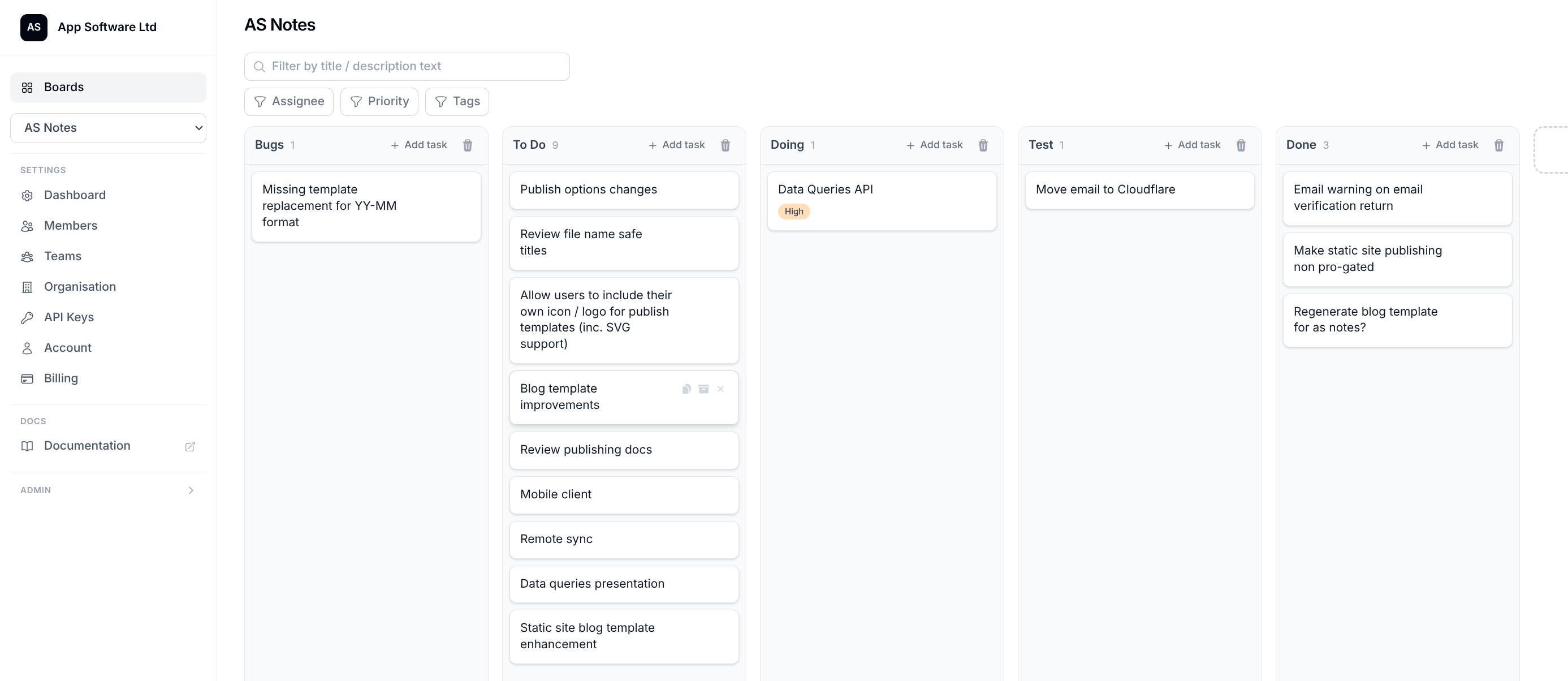
AgentKanban task boards with real-time multiplayer
AgentKanban boards feature CRDT based multiplayer collaboration to allow you and your team to plan tasks together before you start working on them. Lanes, comments, TODOs, tags, priority and user assignment are features that you would expect from a good task board, and they are all there in AgentKanban.
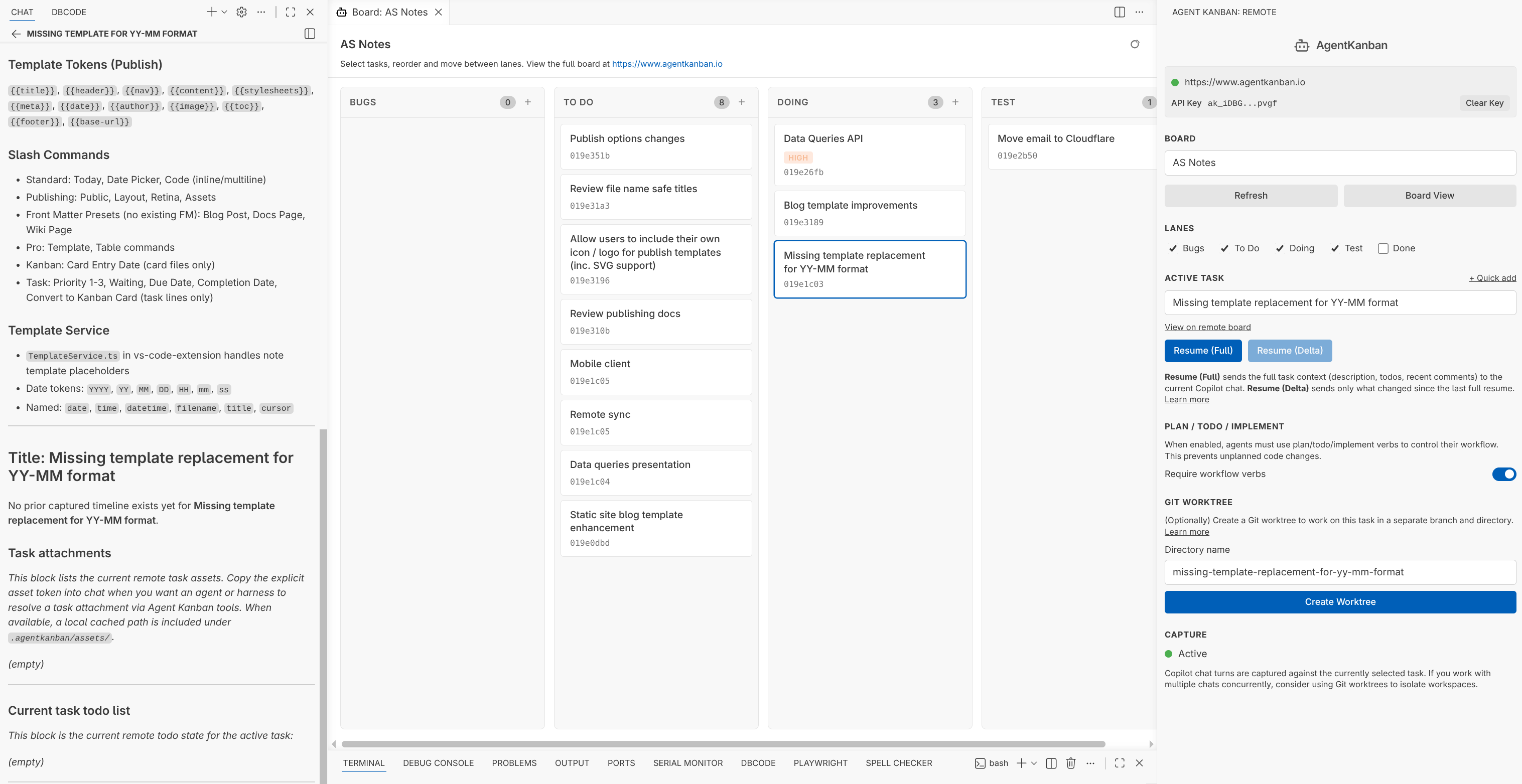
VS Code extension side bar and board view
The AgentKanban side bar connects to your remote task board via API. Create an API key at https://www.agentkanban.io/settings/api-key and paste the key into the AgentKanban extension to link to your boards.
AgentKanban API remote MCP server
The AgentKanban API allows clients including the VS Code extension to make changes to your board and tasks. One of the main uses of the API in the extension is context capture. Where a current task is selected, the AgentKanban extension monitors the current GitHub Copilot chat to parse and feed context back to the task on the remote board. This facilitates the auditing of task implementation as a natural continuation from the initial task planning, and context management if you need to resume the task in a new chat / agent session.
This is made possible by the extension creating a managed section in AGENTS.md that references .agentkanban/INSTRUCTION.md with additional information regarding your selected board and task.
AGENTS.md snippet
<!-- BEGIN AGENT KANBAN — DO NOT EDIT THIS SECTION -->
## Agent Kanban

**CRITICAL: You MUST read `.agentkanban/INSTRUCTION.md` before responding to ANY message.**

That file contains your active task context, workflow rules, board/task binding, and MCP usage guidelines.
It is managed by the Agent Kanban extension and is the authoritative source for your current task.

...
INSTRUCTION.md snippet
...

## Active Task

**Task:** Remember last lane for mobile (loose it on back button press and reload)

Board ID: `019ddb14-492c-7554-bde6-7376ba4c65eb` (Agent Kanban)
Task ID: `019e2f7e-ccd6-710a-8173-787e94ef10d0`

Use these IDs when calling MCP tools that require a board or task identifier.

...
The MCP server, which the agent is instructed in how to use facilitates agent use for memory and technical information gathering, as well as maintenance of TODO lists for task planning and implementation.
Shared AGENTS.md instruction
Custom AGENTS.md instruction can be configured in board settings, so that every member of your team can benefit and contribute to agent instruction.
Context management tools
If you find yourself in a position where you want to resume a task, but need to fork, split, exclude or delete context, you can use AgentKanban's context management tools to create copies of tasks with a revised context history.
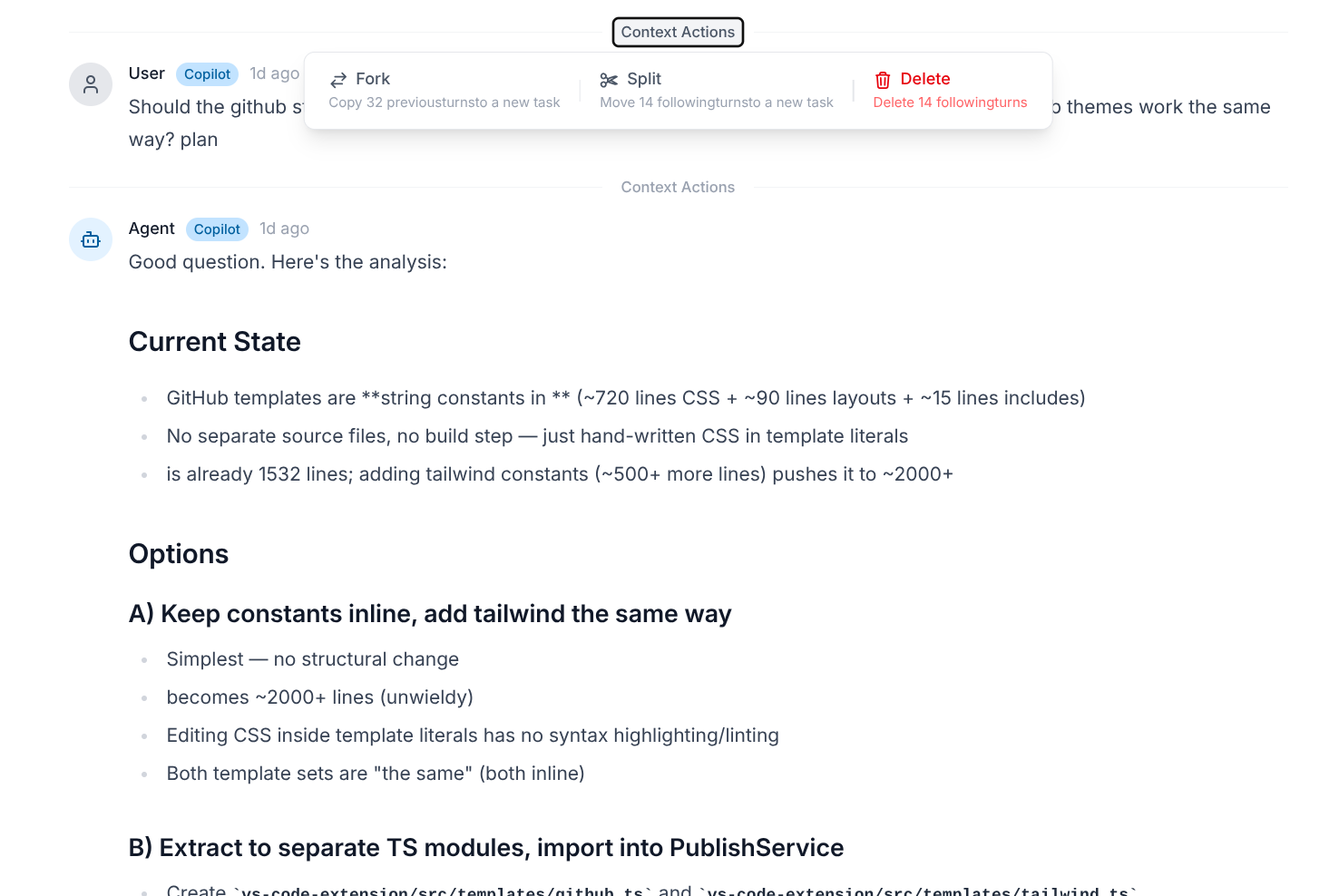
This can be useful if (for example):
- An agentic coding session changes direction and you want to resume from a point in time where the context aligned with your current goals, without including decisions that have since been changed.
- The agent included a large amount of context that is not relevant in a newly resumed session.
Git Worktree Support
While we still need to review what our agents build, we can often leave them to work on tasks for long enough that we can manage multiple tasks concurrently.
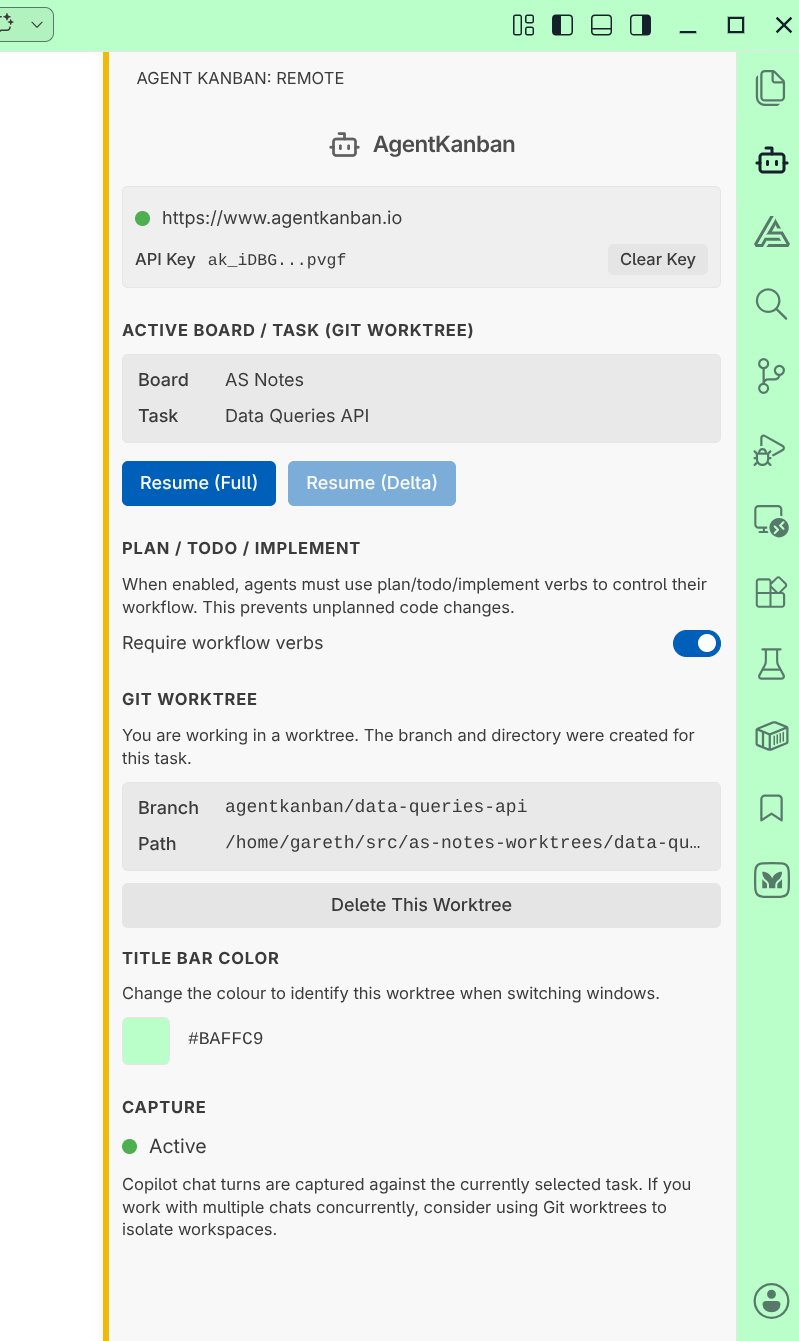
When tasks are large in scope, it becomes more likely that agents will work on the same files while working separate tasks. To prevent conflicts and enable easy rollbacks of erroneous changes, we can use Git worktrees to isolate our working directories on a per task basis.
The AgentKanban VS Code extension makes it easy to create Git worktrees:
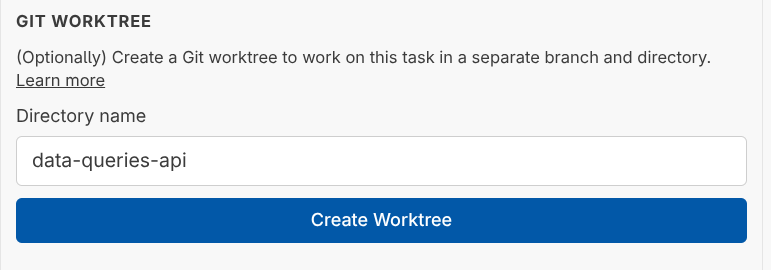
On creation, you'll be shown a notification with navigation to open a new VS Code instance at the new worktree directory location. From within worktree directories, AgentKanban will present options allowing you to customise the workspace title and activity bar themes in VS Code, which makes it easy to identify windows when using Alt + Tab to switch between multiple running tasks.
Asset Support
AgentKanban supports adding assets to tasks (images, files etc) and provides a token format that can be copied to the agent where it can be downloaded via MCP for inclusion in the context.
Example asset token as copied from the AgentKanban task board
[agent-kanban-asset board=019e0dbd-09e7-7d54-b875-4c35fd35a38a task=019e3189-1113-716f-a645-45c4245b8398 asset=019e3a90-de19-765e-bfae-dca79ffc21c9]
Plan / TODO / Implement workflow
As an option, the managed AGENTS.md section can include the Plan / TODO / Implement workflow. This is included by default in AgentKanban as testing shows that the use of such an instruction set leads to improved quality in agent output and can save on token use through a reduced number of iterations needed to complete a task.
...

## Workflow Rules

IMPORTANT: Follow these workflow rules strictly.
IMPORTANT: Do not implement changes unless the `implement` verb is used.
IMPORTANT: Maintain board memory and technical information proactively via MCP whenever you discover durable technical context, conventions, or decisions that should survive beyond the current task.

## Plan / TODO / Implement Workflow

Agent Kanban uses a `plan / todo / implement` workflow to separate planning, todo management, and implementation.

This is an iterative cycle: **plan** -> **todo** -> **implement**

The user may give one verb or combine them, for example `plan`, `todo`, `implement`, or `todo implement`.

### plan

Discuss, analyse, and plan the task collaboratively using the injected task context. Explore approaches. **No code, no file edits, no todo changes.**

### todo

Read, create, and update the task todo list via MCP. Write clear, actionable items.

Always ensure that there is a todo task for each action before implementation, and ensure it is marked done on completion.

**No implementation** unless the user also asked for `implement`.

### implement

Implement from the agreed plan and current todo list. Keep todos up to date via MCP. Update board memory as soon as you discover durable technical context, conventions, or decisions that should be preserved beyond the current task. Do not deviate from the plan without noting why.

...
A Complete Set of Tools
With AgentKanban, I feel I have a complete set of tools for managing development tasks, with tight IDE and Git integration that facilitates real 'human-in-the-loop' control over agentic engineering sessions. My hope is that you find this tooling and workflow helps you too, and we can continue to build on this in support of robust development practices and a better developer experience.
You can get started with https://www.agentkanban.io for free, and see if it helps you with your agentic workflows.